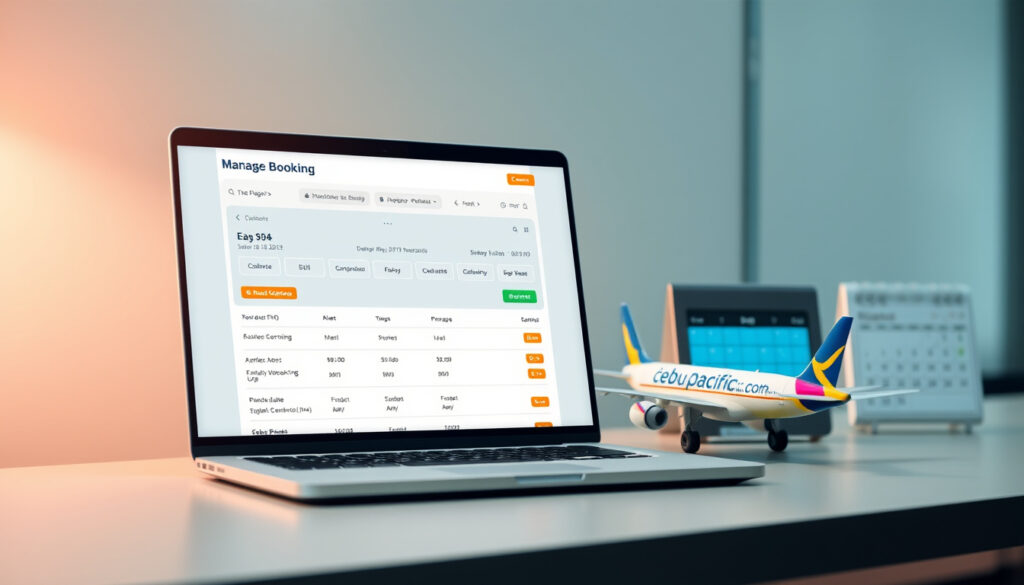
Cebu Pacific Manage Booking: Online Guide to Changes & Status
You just booked a Cebu Pacific flight, and now your plans shifted. Whether you need to add a bag, switch the date, or simply confirm your seat, the airline’s self-service portal has you covered — but only if you know exactly where to look and what the limits are.
Official Manage Booking URL: cebupacificair.com/en-PH/manage-booking · Key Features Available: View itinerary, rebook flight, online check-in, add baggage · Help Center: Cebu Pacific Help Center
Quick snapshot
- Manage Booking lets you view itinerary, rebook flights, check in online, update guest details, add baggage, and purchase add-ons (Cebu Pacific Help)
- A MyCebuPacific account is required to make any booking changes (Cebu Pacific Help)
- Booking changes can only be made up to 2 hours before departure (Cebu Pacific Help)
- Exact current change fees by route or fare type are not published numerically on the official site
- Specific step-by-step screenshots for non-logged-in first-time users
- Voluntary rebooking cutoff was updated from 4 hours to 2 hours on current policy (Cebu Pacific Help)
- Free rebooking within 30 days for the first change is currently active (Cebu Pacific Help)
- Online check-in via Manage Booking opens before the 2-hour cutoff
- For GO Basic passengers needing luggage, purchasing extra baggage online is the first step before airport procedures
The following table summarizes the primary access points for managing your Cebu Pacific booking:
| Access Point | URL / Details |
|---|---|
| Primary Manage Booking Page | cebupacificair.com/en-PH/manage-booking |
| Detailed Help Guide | Cebu Pacific Help — Managing Your Booking |
| Booking Changes Topic | Cebu Pacific Help — Manage Your Booking |
| Baggage Guidelines | Cebu Pacific Help — Baggage Guidelines |
| Account Login Portal | MyCebuPacific Login Portal |
Can I manage my Cebu Pacific booking online?
Yes — Cebu Pacific offers a self-service Manage Booking portal that lets passengers handle most flight adjustments without contacting the airline directly. The system supports viewing your itinerary, rebooking to a different date or time, completing online check-in, updating guest details, adding baggage, settling outstanding balances, purchasing add-ons, and even converting unused funds to a Travel Fund with CEB Flexi.
Adding or Linking a Booking to Your Account
If you booked as a guest and don’t yet have a MyCebuPacific account, you can still link your reservation. Use the Add Booking feature to connect an existing booking to your account by providing your booking reference number and the last name used during reservation. Once linked, you’ll gain access to all Manage Booking tools.
There are a few restrictions worth knowing. You cannot link a booking if it is already connected to another account, if it is a group booking, or if there is a mismatch between the name or email on the reservation and your account. Additionally, once a booking is linked, it cannot be unlinked from your MyCebuPacific account.
Steps to Access Manage Booking
The access path is straightforward: visit cebupacificair.com/en-PH/manage-booking or open the Cebu Pacific app, then enter your booking reference number and either your last name or email address used during booking. A MyCebuPacific account is required before you can make any changes to the booking.
The implication: logging in before you book saves you the linking step entirely and prevents scenarios where a name or email mismatch blocks access to your own reservation.
Cebu Pacific passengers who create a MyCebuPacific account before booking avoid the linking hassle entirely. For those who didn’t, the Add Booking feature handles most cases — but mismatched names or emails can block access without a support call.
“With our Manage Booking feature, you can: View your itinerary; Rebook your flight; Do online check-in; Update guest details; Add baggage;”
— Cebu Pacific Official Support
How do I check my Cebu Pacific booking status and PNR?
Your Cebu Pacific booking reference, also known as a PNR (Passenger Name Record), is the six-character alphanumeric code you received via email after completing your reservation. This code is your key to checking flight status, confirming ticket issuance, and accessing the Manage Booking tool.
What is PNR in Cebu Pacific?
A PNR in Cebu Pacific is the booking reference that identifies your specific reservation in the airline’s system. It typically consists of six letters or numbers and is unique to your ticket. You’ll find it in your confirmation email and on any official correspondence from Cebu Pacific.
The PNR differs from your frequent flyer number or ticket number — it is the primary identifier the airline uses to retrieve your booking, whether you’re checking in at the airport or modifying your reservation online.
Check Flight Ticket PNR Status Online
To check your booking status, visit the Manage Booking portal and enter your PNR along with your last name. The system will display your itinerary, including flight dates, times, routing, and current ticket status.
If you need to track a flight that is already within 24 hours of departure, Cebu Pacific also offers a flight status tracker on the main website where you can search by route or flight number.
The pattern: a confirmed booking shows as “Confirmed” or “Issued” — if your status shows anything else or is blank, the ticket may not have been issued yet, and you should contact Cebu Pacific directly.
How much baggage is allowed in Cebu Pacific?
Cebu Pacific’s baggage policy differs significantly across its three fare bundles: GO Basic, GO Easy, and GO Flexi. Understanding which bundle you purchased determines whether you’re starting with any included checked luggage or need to purchase it separately.
CEB Baggage Guidelines
Checked baggage is included only in GO Easy (one piece, 20kg) and GO Flexi (one piece, 20kg). GO Basic passengers have zero included checked baggage — every kilogram must be purchased as an add-on. The size limit for any checked bag is 39×39×39 inches, and every 20kg increment counts as one piece.
All passengers have the same hand-carry allowance regardless of fare bundle: 7kg total, split across two items. One overhead bin bag with maximum dimensions of 22×14×10 inches, and one under-seat item measuring 8×8×14 inches. This uniformity means upgrading from GO Basic to GO Easy or Flexi adds checked luggage but does not increase hand-carry privileges.
GO Basic passengers flying with luggage should purchase extra checked baggage online before arriving at the airport — buying at the counter costs more, and the online system caps additional pieces at three for web or app purchases.
Extra Baggage Costs
When you need more than your included allowance, Cebu Pacific allows weight upgrades in increments of 4kg, 8kg, or 12kg — note that this increases the weight limit of an existing piece, not the total number of pieces. For additional pieces beyond your bundle allowance, you can purchase up to three extra checked bags (20kg each) through the website or app. Any bags beyond those three require airport purchase at a higher fee.
Hand-Carry Limits
The common misconception is that three bags are permitted for hand-carry — this is incorrect. Cebu Pacific explicitly allows one overhead bag and one under-seat item per passenger. The 7kg total weight applies across both items combined. Large or specialized items such as sports equipment or musical instruments fall under CEB Special Baggage, which is only available through the mobile app and not the website.
What this means: if you’re on GO Basic with no checked luggage included, budget for at least one extra baggage purchase if you’re bringing anything beyond a personal item. The weight upgrades are cheaper than full extra pieces, so pack efficiently into fewer bags whenever possible.
“Checked baggage allowance is only included in our GO Easy and GO Flexi fare bundles.”
— Cebu Pacific Official Support
Until when can I manage my booking in Cebu Pacific?
The universal cutoff for all Manage Booking actions is two hours before your scheduled departure. This applies to rebooking, adding baggage, upgrading seats, and any other modification. Once the two-hour window closes, the airline’s system locks the booking from further online changes.
Time Limits for Changes
The two-hour rule is consistent across all fare types and booking modifications. If you are within two hours of departure, the Manage Booking portal will no longer allow changes — this is a hard system cutoff, not a policy that staff can override online. At this point, you would need to speak with a counter agent at the airport if anything remains unresolved.
Rebooking and Seat Selection Deadlines
For rebooking specifically, you can change the date or time of your flight via Manage Booking, but you cannot change the origin, destination, or passenger name. You also cannot alter the sequence of a multi-leg itinerary. The first voluntary rebooking within 30 days of the original booking date may be free under certain conditions, such as having purchased a GO Flexi bundle or a CEB Flexi Add-on.
Without those fare options, change fees and fare differences apply per sector per person. For a roundtrip booking with two passengers, the change fees are charged four times over — once per sector per person. After voluntarily rebooking, you cannot revert to the original itinerary.
The catch: airline-initiated changes (such as a schedule shift of one hour or more or a cancellation) allow one free rebooking within 30 days. This is distinct from voluntary passenger-initiated changes, which always carry fees unless covered by a Flexi bundle.
“You can rebook to a different flight date or time up to two (2) hours before your scheduled departure!”
— Cebu Pacific Official Support
Passengers on GO Basic who anticipate needing to rebook should weigh the cost of a CEB Flexi Add-on against potential change fees. For trips with uncertain dates, the add-on often pays for itself with a single free rebooking within 30 days.
How do I add baggage, rebook, or check-in via Cebu Pacific Manage Booking?
The Manage Booking portal is where all of these actions converge. Each function has its own workflow within the same tool, and understanding the sequence helps you avoid missing the two-hour cutoff.
Add Baggage Process
To add baggage, log into your MyCebuPacific account and navigate to Manage Booking. Select your upcoming flight, then choose “Add Baggage” from the available options. The system will show your current allowance based on your fare bundle, and you can purchase weight upgrades (4kg, 8kg, or 12kg) or additional 20kg pieces up to a maximum of three extra pieces.
For large or specialized items, select “CEB Special Baggage” — but note this is only available through the mobile app and not the desktop website. Complete the purchase before the two-hour departure cutoff, and the confirmation will update your booking automatically.
Rebooking Steps
To rebook, enter your booking reference and last name on the Manage Booking page, select your flight, and choose “Change Flight.” The system will display available alternative flights on the same route. Select your preferred new date or time and confirm.
If your fare is not rebookable or if the new flight carries a higher fare, the difference in fare plus any applicable change fees will be charged to your payment method on file. Free rebooking applies only if you have GO Flexi or a CEB Flexi Add-on and are within the 30-day window.
Online Check-In
Online check-in via Manage Booking is available once your booking is confirmed and typically opens before the two-hour departure cutoff. Access it through the same Manage Booking portal — select your flight and choose “Check In Online.” You’ll receive a digital boarding pass if all requirements are met.
For passengers with checked luggage, you’ll still need to drop bags at the counter after completing online check-in. The digital boarding pass is sufficient for passing through security at most Philippine airports served by Cebu Pacific.
The implication: complete your online check-in as early as possible, especially if you have baggage to drop. Waiting until the two-hour window creates unnecessary stress and risk if there are system delays.
Passengers who skip online check-in and rely solely on counter check-in may face longer queues, particularly at busy Manila and Cebu terminals. The self-service route is consistently faster and gives you more control over your boarding position.
Related reading: ETS from JB to KL Timetable Prices Booking Guide
help.cebupacificair.com, help.cebupacificair.com, thepoortraveler.net
Much like Cebu Pacific’s platform for rebooking and status updates, the United Airlines Manage Booking offers comprehensive tools for cancellations, seat selection, and check-in adjustments.
Frequently Asked Questions
How do I find my Cebu Pacific booking reference?
Your booking reference (PNR) is a six-character code in your confirmation email from Cebu Pacific. It is distinct from your ticket number and is the primary identifier used to access Manage Booking and check your flight status.
What should I do if I forgot my Cebu Pacific login?
Use the password recovery option on the MyCebuPacific login portal. If your booking was made as a guest, you can still access Manage Booking using your PNR and last name — account login is only required to make changes, not to view your itinerary.
Can I manage bookings without an account?
You can view your booking details using your PNR and last name, but making changes — including adding baggage, rebooking, or checking in — requires a MyCebuPacific account. You can create one and then use the Add Booking feature to link your existing reservation.
How do I contact Cebu Pacific for booking issues?
Cebu Pacific’s help center at help.cebupacificair.com covers most common issues. For urgent matters within two hours of departure, contact the airport counter directly or call the airline’s general hotline.
Is there a fee for managing my Cebu Pacific booking?
Viewing your itinerary and checking your PNR status is free. Fees apply only to voluntary changes such as rebooking — these include a change fee per sector per person plus any fare difference. Passengers with GO Flexi or CEB Flexi Add-on may be eligible for free rebooking within 30 days.
What devices work best for Cebu Pacific Manage Booking?
Both the desktop website and the Cebu Pacific mobile app support full Manage Booking functionality. The mobile app is required for CEB Special Baggage (oversized or specialized items). The desktop site handles everything else, including baggage upgrades, rebooking, and online check-in.
How do I cancel a Cebu Pacific booking?
Cancellation is handled through the same Manage Booking portal if eligible. Refund eligibility depends on your fare type — GO Flexi bundles and CEB Flexi Add-on holders have more flexible cancellation options. For no-show or unused flights, the fare and fees are forfeited. Voluntary cancellation outside of flexi terms may not be eligible for a refund.
For passengers flying with Cebu Pacific in the Philippines, the Manage Booking tool covers most scenarios without requiring a support call. The two-hour cutoff is the single most important constraint to remember — everything else (baggage, seats, rebooking, check-in) flows from planning around that window.
More related posts
 Boeing 737-800 Safety, Seat Guide & Accident Statistics (2024)
 9000 Baht to SGD: Live THB to Singapore Dollar Rate
 Wells Water Dispenser Price: Models, Costs & Buying Guide
 Xin Mei Xiang Lor Mee: Guide to Singapore’s Legendary Bowl
 To No Avail Meaning: Definition, Usage, and Examples
 How to Build Good Habits: Science-Backed Strategies
 Victoria and Albert Museum: Worth Visiting? Tickets & Highlights
 Part Time Jobs Singapore Students: Salary, Legal Rules & Budget