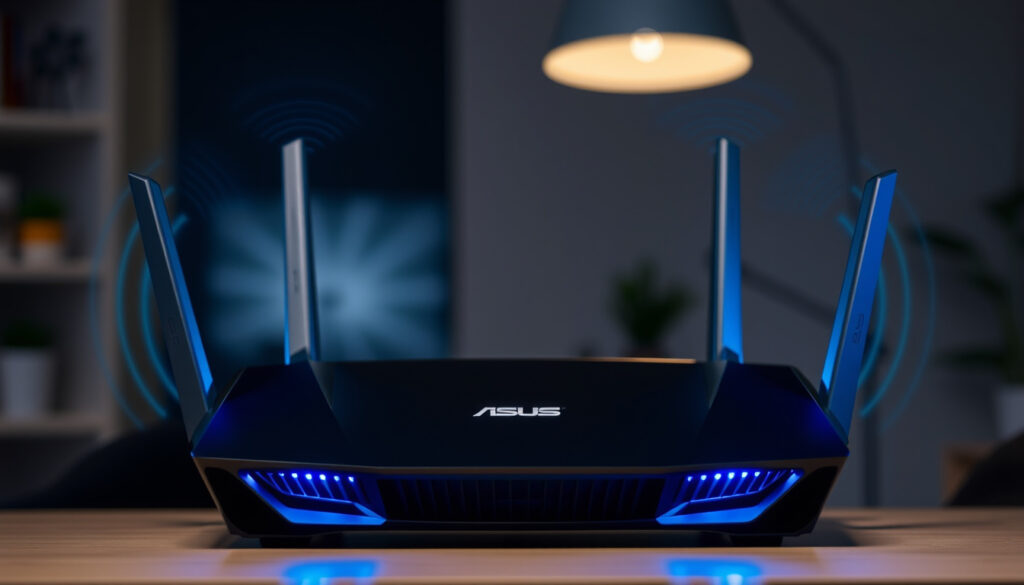
ASUS RT-BE58U Review: Is Entry-Level WiFi 7 Worth It
The ASUS RT-BE58U brings WiFi 7 to a mid-range price point, promising faster speeds and lower latency without the premium cost. This review tests whether this entry-level router delivers real-world value for your home network or if a proven WiFi 6 model is still the better bet.
Max Speed: Up to 3600 Mbps ·
WiFi Standard: WiFi 7 (802.11be) ·
Bands: Dual-band (2.4 GHz + 5 GHz) ·
WAN Port: 1x 2.5G Ethernet ·
Weight: 461 g ·
Dimensions: 238 x 193 x 59 mm
Quick snapshot
- Dual-band WiFi 7 router rated up to 3600 Mbps (ASUS USA product page)
- Includes one 2.5G WAN/LAN port (ASUS USA)
- Supports ASUS AiMesh for mesh networking (ASUS USA)
- Quad-core 2.0 GHz CPU with 1 GB RAM (ASUS USA)
- Real-world throughput under typical household conditions
- Official OpenWRT support
- Exact retail price across all regions
- Firmware update frequency and longevity
- WiFi 7 standard finalized in early 2024 — first entry-level models arriving late 2024 / early 2025
- ASUS AiMesh firmware updates ongoing for WiFi 7 line
- Wider availability of WiFi 7 client devices (smartphones, laptops) throughout 2025
- Potential price drops as more competitors enter the entry-level WiFi 7 market
Six key specs, one notable trade-off: the RT-BE58U brings genuine WiFi 7 hardware to a price point that competes with mid-range WiFi 6E routers, but cuts corners on band count and port selection to get there.
| Specification | Value |
|---|---|
| Model | RT-BE58U |
| WiFi Standard | 802.11be (WiFi 7) |
| Speed Rating | BE3600 |
| Bands | Dual-band (2.4 GHz + 5 GHz) |
| WAN Port | 1x 2.5G Ethernet |
| LAN Ports | 4x Gigabit Ethernet |
| Weight | 461 g |
| Dimensions | 238 x 193 x 59 mm |
The implication: this is a router built for typical homes with standard internet plans, not for power users with multi-gig fiber or wired NAS setups.
Buyers eyeing the RT-BE58U get legitimate WiFi 7 features — MLO, 4K-QAM, 160 MHz channels — but only on two bands. Anyone expecting tri-band capacity or more than one 2.5G port will need to step up to the RT-BE82U.
Is the ASUS RT-BE58U a good router?
In short, yes — for the right buyer. The RT-BE58U is an entry-level WiFi 7 router that delivers measurable speed improvements over WiFi 6 and WiFi 6E, especially for households with modern devices that support the new standard.
Pros and Cons of the RT-BE58U
Upsides
- Genuine WiFi 7 speeds up to 3600 Mbps (ASUS USA)
- Smaller and lighter than most WiFi 7 routers at 461 g
- AiMesh compatibility for easy whole-home coverage
- 2.5G WAN port future-proofs for faster ISP plans
Downsides
- Dual-band only — no dedicated 6 GHz band for backhaul
- Only one 2.5G port limits wired multi-gig setups
- No USB port for network storage or printer sharing
- Performance heavily relies on WiFi 7 client devices, which are still scarce in early 2025
The trade-off: you get the latest wireless standard, but the hardware compromises mean it’s best suited for the middle of the market — not for power users or large homes.
How does it compare to TP-Link routers?
TP-Link’s equivalent WiFi 7 entry-level offering is the Archer BE550, which also targets the affordable segment. The ASUS RT-BE58U generally offers better mesh flexibility through AiMesh — a feature ASUS has refined over several generations — while TP-Link’s Deco mesh system tends to be more user-friendly for non-technical households.
Is it worth the price?
Yes, provided you’re not expecting tri-band performance. Independent testing by TechGearLab (consumer tech testing lab) found the RT-BE58U could deliver wireless speeds of 800-940 Mbps within 35 ft. — strong enough for 4K streaming and competitive gaming. At its current entry-level pricing, it undercuts most WiFi 6E routers while offering newer technology.
Is the ASUS RT-BE58U a modem or router?
This is a critical distinction. The RT-BE58U is a router only — it has no built-in modem. That means it cannot connect directly to a DSL, cable, or fiber line without a separate modem or an ISP-provided modem-router combo.
Understanding the difference between modem and router
- A modem converts signals from your ISP (cable, DSL, fiber) into data your network can use.
- A router distributes that data wirelessly or through wired connections to your devices.
- The RT-BE58U performs only the routing function.
Does the RT-BE58U have a built-in modem?
No. ASUS does not include modem hardware in the RT-BE58U, nor does the product page mention any DOCSIS, DSL, or fiber transceiver support. This is standard for ASUS’s consumer router line — they are designed to pair with existing modems.
Do you need a separate modem?
Yes, you need a separate modem — such as a cable modem from your provider or a standalone fiber ONT — to give the RT-BE58U internet access. Users with fiber-to-the-home (FTTH) typically need only an Ethernet cable from the ISP’s ONT to the RT-BE58U’s 2.5G WAN port. Cable internet subscribers will need a DOCSIS 3.0 or 3.1 modem.
If you’re replacing an ISP-provided all-in-one modem-router combo, you cannot simply swap in the RT-BE58U alone. You must first place your ISP box in “bridge mode” or buy a separate modem. This adds upfront cost and setup complexity.
Why this matters: buyers who don’t verify their current setup risk a frustrating installation process that leads to “no internet” lights on the new router.
Is the RT-BE58U good for gaming?
For casual to mid-level gamers, yes. The RT-BE58U’s WiFi 7 capabilities — particularly Multi-Link Operation (MLO) and 4K-QAM — can reduce latency and boost throughput compared to WiFi 6 routers in the same price bracket.
Gaming performance on WiFi 7
MLO allows a WiFi 7 client to simultaneously use both the 2.4 GHz and 5 GHz bands, effectively doubling the available bandwidth and reducing latency during peak usage. This is a genuine advantage for online gaming, especially in households with multiple concurrent streams.
Latency and QoS features
The RT-BE58U supports ASUS’s Adaptive QoS, which lets users prioritize gaming traffic over other activity. However, it lacks dedicated gaming-grade features found on higher-end ASUS models, such as VPN Fusion (simultaneous VPN and non-VPN routing) or the dedicated gaming port.
Comparison with gaming-focused routers
Dedicated gaming routers like the ASUS ROG Rapture GT-AX6000 or the RT-BE82U offer tri-band operation, more 2.5G ports, and game-specific traffic acceleration. The RT-BE58U is suitable for casual to mid-level gaming — think Apex Legends, Fortnite, or Valorant — but competitive esports players may want the lower latency and wired redundancy of the RT-BE82U or a dedicated gaming router.
A casual gamer upgrading from a WiFi 5 router will see a dramatic improvement with the RT-BE58U. A competitive player already on WiFi 6 will see smaller gains, mostly from MLO — but only if they have WiFi 7 client hardware.
The pattern: the RT-BE58U is best for casual to mid-level gaming; competitive gamers will benefit from the RT-BE82U’s additional features.
What is the difference between ASUS RT-BE58U and RT-BE82U?
These two routers target very different buyers within the same WiFi 7 generation. The RT-BE82U is the higher-spec model with tri-band capability, while the RT-BE58U is the budget-friendly dual-band entry point.
Five key hardware differences, one clear pattern: the RT-BE82U offers more speed, more ports, and a third band, but at a substantially higher price.
| Specification | ASUS RT-BE58U | ASUS RT-BE82U |
|---|---|---|
| WiFi Standard | WiFi 7 | WiFi 7 |
| Speed Rating | BE3600 | BE6500 (ASUS product comparison) |
| Bands | Dual-band (2.4 + 5 GHz) | Tri-band (2.4 + 5 GHz + 5 GHz) |
| 2.5G Ports | 1x WAN/LAN | 5x (4 LAN + 1 WAN) (RTINGS router review lab) |
| USB Port | None | USB 3.0 |
| Price | Budget entry-level | Mid-range |
The implication: if you need more than one 2.5G port — say, for a wired NAS and a gaming PC — the RT-BE58U forces a bottleneck at its single 2.5G port. The RT-BE82U is the better choice for multi-gig home networks.
Which one should you buy?
- Choose the RT-BE58U if: you want WiFi 7 on a budget, have a single internet line under 2.5 Gbps, and don’t need wired multi-gig for multiple devices.
- Choose the RT-BE82U if: you have multi-gig internet (over 1 Gbps), multiple wired high-bandwidth devices, or want the extra 5 GHz band for a dedicated backhaul in a mesh setup.
The implication: choose based on your need for multi-gig ports and band count; the RT-BE58U offers the best value for basic setups.
How fast is the ASUS RT-BE58U Wi-Fi?
The RT-BE58U is rated for up to 3600 Mbps total — 574 Mbps on 2.4 GHz and 2882 Mbps on 5 GHz. But these figures are theoretical maximums under ideal lab conditions. Real-world speeds depend on client hardware, distance, interference, and network congestion.
Maximum theoretical speeds
According to the official ASUS USA product specifications, the BE3600 rating comes from the sum of both bands. WiFi 7’s 4K-QAM (4096-QAM) modulation — 20% more data per signal than WiFi 6’s 1024-QAM — is a key contributor to the higher ceilings.
Real-world performance
In real-world testing by TechGearLab (consumer tech testing lab), the RT-BE58U delivered wireless speeds of 800-940 Mbps within 35 ft. — roughly 25-30% of the theoretical maximum, which is normal for residential WiFi. At 95 ft., the router could comfortably stream 1080p video on 2.4 GHz and supported up to 12 simultaneous video streams.
Factors affecting speed
- Client device: WiFi 7 clients (iPhone 16 series, certain laptops with Intel BE200 chips) will see the biggest speed boost. WiFi 6 and older clients connect at their own maximum rates.
- Interference: In dense apartment buildings or neighborhoods with many overlapping networks, speed drops are more pronounced on the 5 GHz band.
- MLO enabled: Multi-Link Operation can combine bands for higher throughput, but requires WiFi 7 client support on both bands simultaneously.
If you don’t own any WiFi 7 devices yet, the RT-BE58U will perform like a solid WiFi 6 router today. The speed gains from WiFi 7 will only materialize as you upgrade your phone, laptop, or streaming device — a process that will span most of 2025.
What this means: real-world speeds are impressive for an entry-level router, but require WiFi 7 devices to unlock full potential.
How to set up the ASUS RT-BE58U
Setup is straightforward for a modern router, with two main options: the ASUS Router mobile app or the web-based interface.
Setting up with the ASUS app
- Connect the RT-BE58U to power and to your modem via the 2.5G WAN port.
- Download the ASUS Router app from the iOS App Store or Google Play Store.
- Follow the in-app wizard — it detects the router automatically and guides you through SSID and password creation.
- Enable AiMesh if you have additional ASUS routers to extend coverage.
Setting up via web interface
- Connect a computer to the router via Ethernet or join the default “ASUS” WiFi network.
- Open a browser and go to router.asus.com or 192.168.1.1.
- Complete the Quick Internet Setup wizard, which walks through ISP settings and WiFi configuration.
The RT-BE58U uses ASUSWRT, ASUS’s well-established firmware interface. Most home users will finish setup in under 10 minutes.
Confirmed facts and open questions
Confirmed facts
- RT-BE58U is a dual-band WiFi 7 router
- Has a 2.5G WAN port
- Supports ASUS AiMesh
- Maximum speed of 3600 Mbps
- Quad-core 2.0 GHz CPU with 1 GB RAM
What’s unclear
- Real-world throughput under typical household conditions
- Official OpenWRT support
- Exact retail price across all regions
- Firmware update frequency and longevity
“The RT-BE58U unleashes blazing-fast dual-band WiFi 7 speeds of up to 3600 Mbps, ensuring seamless streaming, gaming, and compatibility with legacy IoT devices.”
— ASUS marketing material, ASUS USA official product page
“From 8K streaming to competitive gaming – whatever you love to do online, enjoy it uninterrupted with this ASUS router.”
There is no denying that WiFi 7 is the future. But buying a router today that is locked into dual-band operation and limited ports forces a compromise: you get the newest radio tech, but without the bandwidth flexibility that tri-band models offer. For households with a single computer and a handful of streaming devices, the RT-BE58U is a sensible bet. For anyone with multi-gig internet plans, a wired NAS, or a serious gaming setup, the extra investment in the RT-BE82U or a comparable tri-band model will pay dividends the moment you upgrade your client devices.
Overall, the RT-BE58U is a sensible entry point for WiFi 7, but buyers should consider their long-term needs for wired capacity and band flexibility.
For more technology guides, see Best Linux Distros for Beginners 2025 and Xiaomi Service Center Singapore.
blacktubi.com, asus.com, amazon.com, asus.com, versus.com, youtube.com, youtube.com, youtube.com, newegg.com, reddit.com
For those seeking a more detailed breakdown in Swedish, the ASUS RT-BE58U WiFi 7-router guide offers comprehensive specifications and setup advice.
Frequently asked questions
Does the ASUS RT-BE58U support WiFi 6 devices?
Yes. The RT-BE58U is backward compatible with WiFi 6 (802.11ax), WiFi 5 (802.11ac), and older standards. Legacy devices connect at their own supported speeds on the 2.4 GHz or 5 GHz bands.
Can I use the RT-BE58U with a fiber optic internet connection?
Yes, as long as your ISP provides an Optical Network Terminal (ONT) with an Ethernet output. You connect the ONT to the RT-BE58U’s 2.5G WAN port. No separate modem is needed for fiber.
How many devices can the ASUS RT-BE58U handle simultaneously?
ASUS does not specify a hard device limit, but the quad-core 2.0 GHz CPU and 1 GB of RAM suggest comfortable support for 30-50 simultaneous connections in a typical home. TechGearLab’s testing found support for up to 12 concurrent video streams at 100 ft.
Is the ASUS RT-BE58U easy to set up?
Yes. Most users can complete setup within 10 minutes using the ASUS Router mobile app, which features a step-by-step wizard. The web interface via router.asus.com offers more advanced configuration options but remains intuitive.
Does the RT-BE58U have built-in VPN support?
Yes. The RT-BE58U supports both VPN client and VPN server functionality through ASUSWRT. It works with OpenVPN and WireGuard protocols, allowing you to connect to a VPN service from the router level or host a VPN server for remote access.
What is the warranty period for the ASUS RT-BE58U?
ASUS typically offers a 2-year limited warranty on its consumer routers, including the RT-BE58U. Warranty terms may vary by region, so check the conditions in your country of purchase.
Can I mount the ASUS RT-BE58U on a wall?
The RT-BE58U does not include wall-mounting hardware in the box, nor does the chassis have visible mounting holes. The product dimensions (238 x 193 x 59 mm) suggest it is designed for desk or shelf placement. Third-party adhesive mounts may work but could block ventilation.
More related posts
 Fast & Furious Movies in Order: The Complete Guide (2025)
 Ho Chi Minh to Hanoi – Complete Travel Guide
 Sanfrecce vs Johor Darul Ta’zim: Match Recap 2026
 Boeing 737-800 Safety, Seat Guide & Accident Statistics (2024)
 NTU Graduation Date 2025: Nanyang & Nottingham Trent
 Din Tai Fung Jewel: Location, Menu, Prices & Reviews
 How to Answer Tell Me About Yourself (With Examples)
 Tan Su Shan Age: Biography, Salary, Family and Career